Установка
Hyperstone Unity SDK интегрирует ваше приложение Unity с Hyperstone — платформой оптимизации пользовательского опыта в реальном времени. Вместо запуска ручных A/B тестов, Hyperstone непрерывно настраивает конфигурацию вашего приложения с помощью алгоритмов stochastic optimization, адаптируясь к поведению пользователей и максимизируя вашу целевую метрику.
SDK Hyperstone легкий и полностью автономный. Для работы ему не требуются внешние зависимости или сторонние библиотеки.
Добавьте scoped-реестр Hyperstone в файл Packages/manifest.json вашего проекта:
{ "scopedRegistries": [ // ... другие реестры ... { "name": "Hyperstone", "url": "https://fra1.digitaloceanspaces.com/hyperstone/upm", "scopes": ["com.theoreticalstudio"] } ], "dependencies": { // ... другие пакеты ... "com.theoreticalstudio.hyperstone": "1.0.0" // ... другие пакеты ... }}Или альтернативно, в редакторе Unity
Section titled “Или альтернативно, в редакторе Unity”-
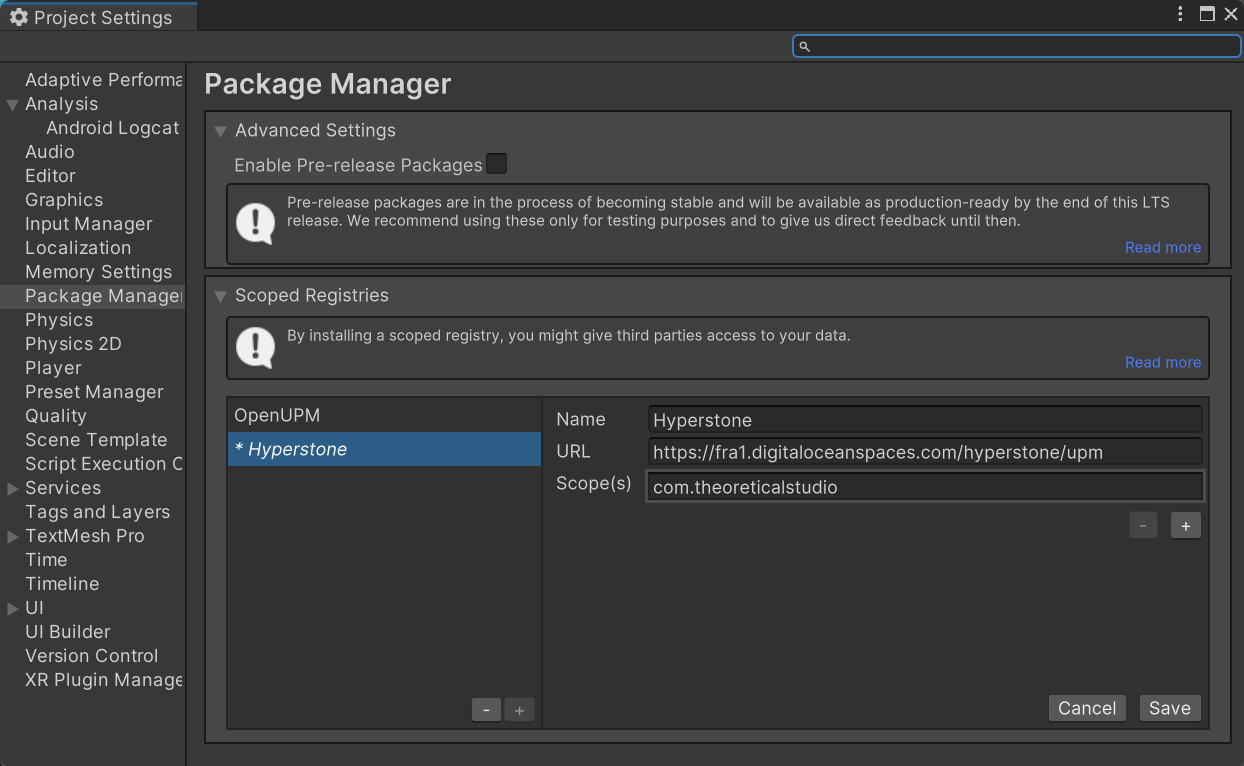
Откройте Edit → Project Settings → Package Manager
-
В разделе Scoped Registries нажмите + и введите:
- Name:
Hyperstone - URL:
https://fra1.digitaloceanspaces.com/hyperstone/upm - Scope(s):
com.theoreticalstudio
- Name:
-
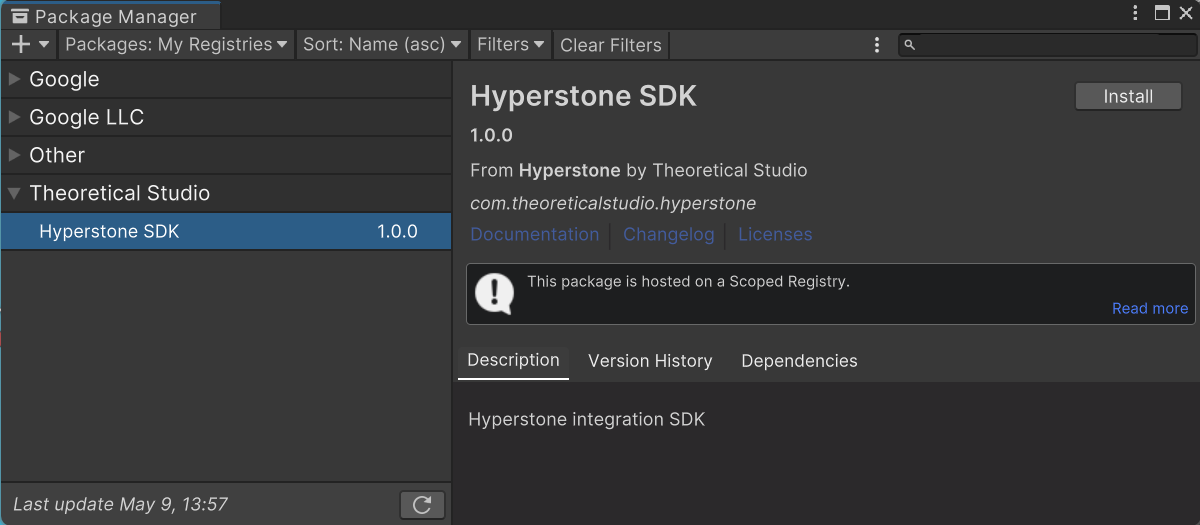
Откройте Window → Package Manager, переключитесь на My Registries и установите Hyperstone SDK
-
Скачайте последний пакет
.tgzсо страницы Версий. -
В Unity откройте Window → Package Manager
-
Нажмите + → Add package from tarball…
-
Выберите скачанный файл
.tgz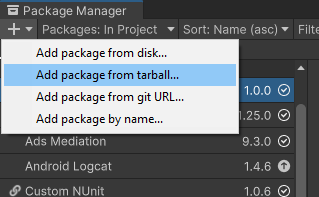
-
Скачайте последний
.unitypackageсо страницы Версий. -
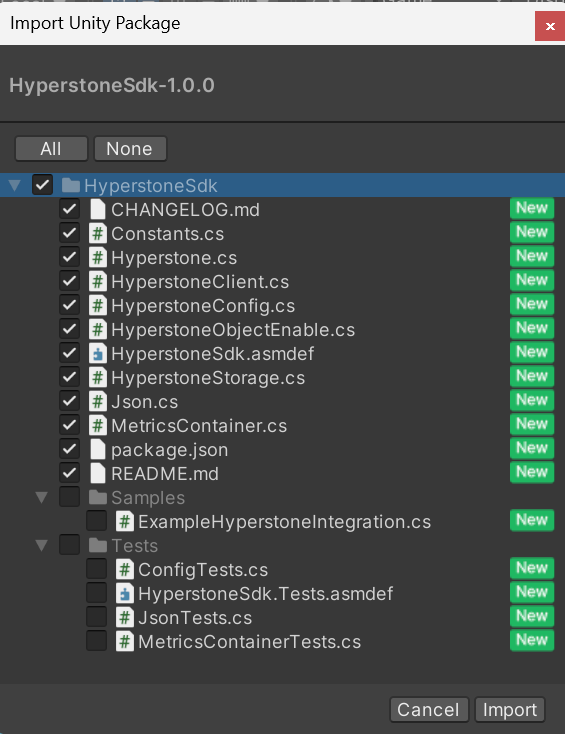
Откройте пакет двойным щелчком или перетащите его в редактор.
-
(Опционально) Включите/исключите
SamplesиTests.