Installation
Это содержимое пока не доступно на вашем языке.
Hyperstone Unity SDK integrates your Unity application with Hyperstone — a real-time user experience optimization platform. Instead of running manual A/B tests, Hyperstone continuously tunes your app’s configuration using stochastic optimization algorithms, adapting to user behavior and maximizing your target metric.
The Hyperstone SDK is lightweight and completely self-contained. It requires 0 external dependencies or third-party libraries to function.
Add the Hyperstone scoped registry to your project’s Packages/manifest.json:
{ "scopedRegistries": [ // ... other registries ... { "name": "Hyperstone", "url": "https://fra1.digitaloceanspaces.com/hyperstone/upm", "scopes": ["com.theoreticalstudio"] } ], "dependencies": { // ... other packages ... "com.theoreticalstudio.hyperstone": "1.0.0" // ... other packages ... }}Or alternatively, in the Unity Editor
Section titled “Or alternatively, in the Unity Editor”-
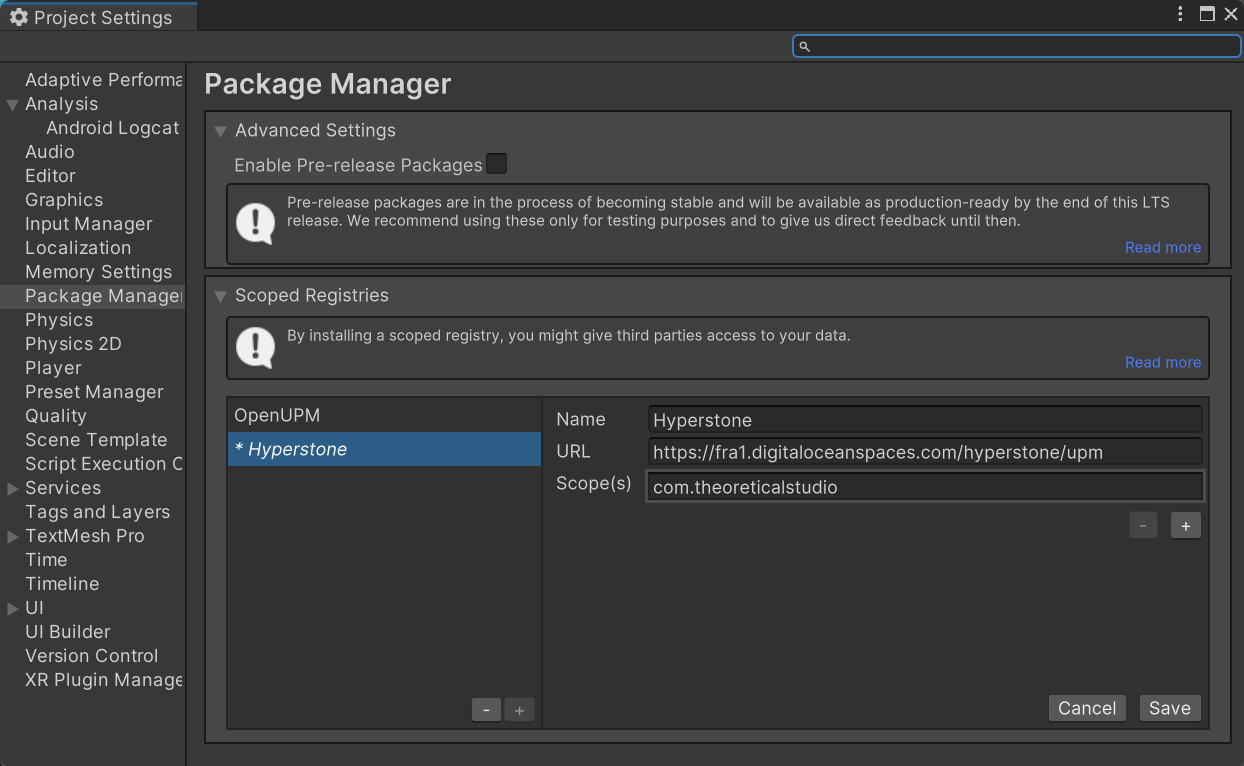
Open Edit → Project Settings → Package Manager
-
Under Scoped Registries, click + and enter:
- Name:
Hyperstone - URL:
https://fra1.digitaloceanspaces.com/hyperstone/upm - Scope(s):
com.theoreticalstudio
- Name:
-
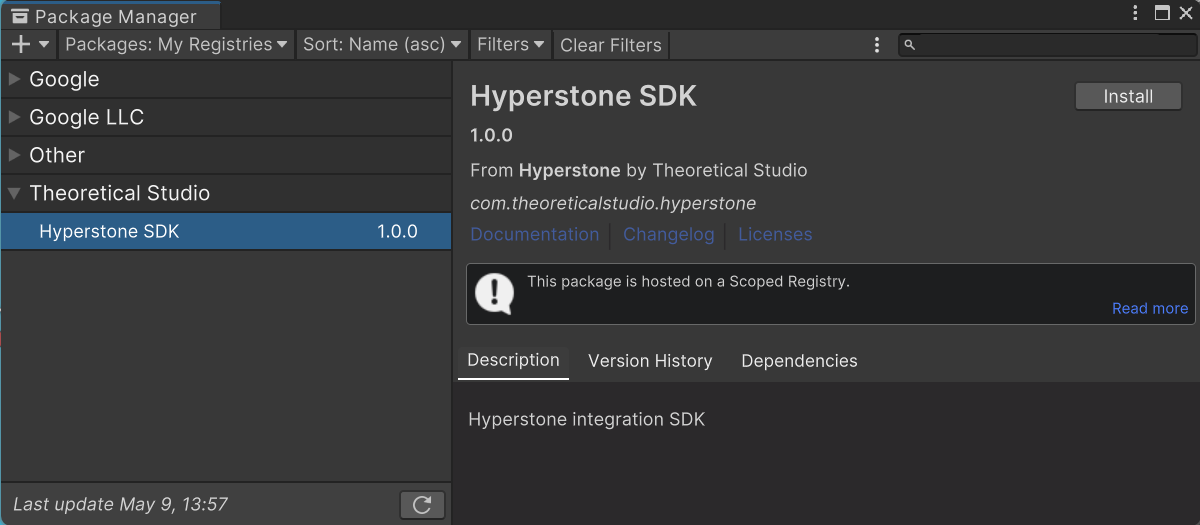
Open Window → Package Manager, switch to My Registries, and install Hyperstone SDK
-
Download the latest
.tgzpackage from the Versions page. -
In Unity, open Window → Package Manager
-
Click + → Add package from tarball…
-
Select the downloaded
.tgzfile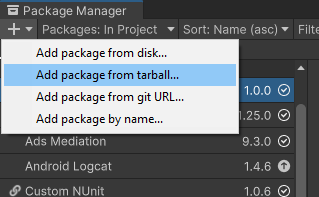
-
Download the latest
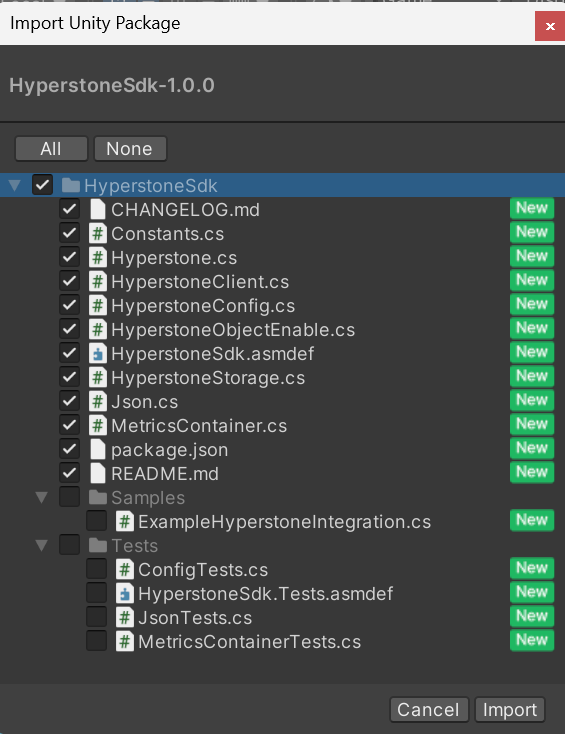
.unitypackagefrom the Versions page. -
Open the package by double-clicking or drag&dropping it into the editor
-
(Optional) Include/exclude
SamplesandTests.