
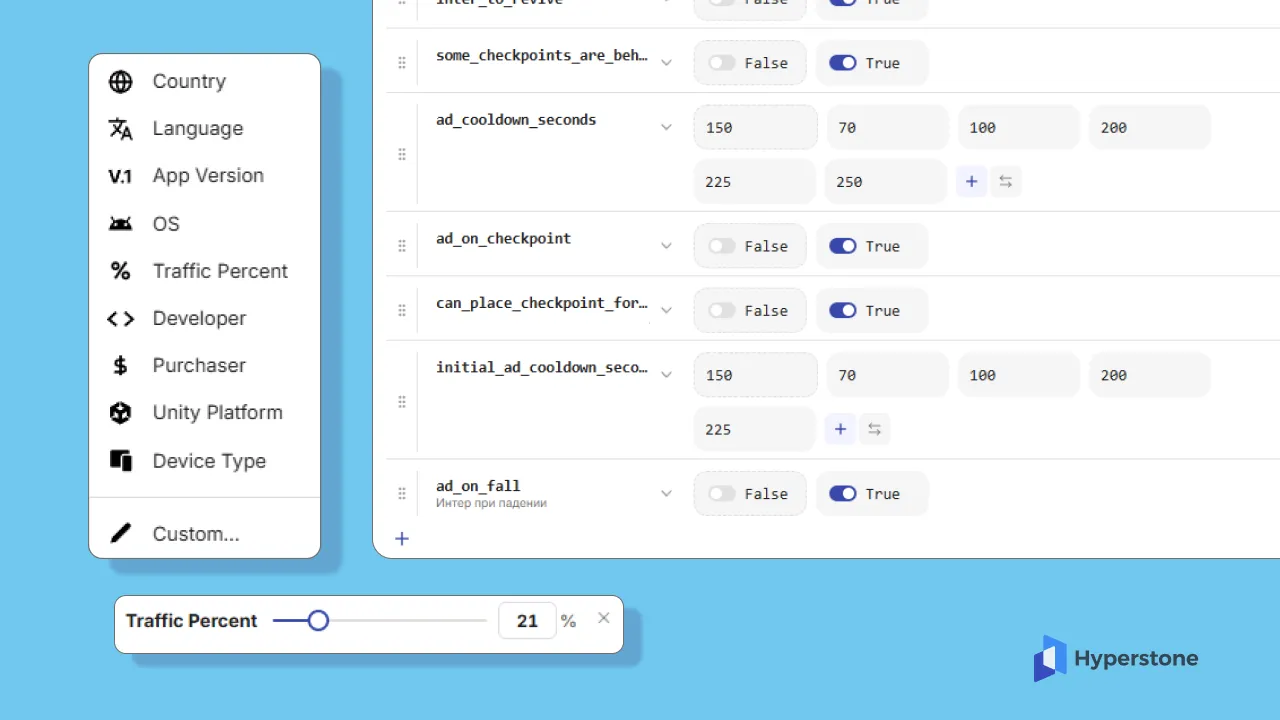
Introducing optimization conditions to specify player segments
You can now attach conditions to any optimization or individual parameter, restricting them to specific player segments. This lets you test changes on a subset of players — by country, device, payer status, or custom event — without affecting your entire audience.
What Conditions Support
The new conditions block accepts nine segment types:
- Audience percentage — roll out to a random slice of incoming players (e.g., 10%)
- Country — target or exclude specific countries
- Custom condition or event — match against any tracked event or user property
- Language — filter by device language
- App version — target specific builds
- Payer status — separate paying from non-paying players
- Unity version — filter by engine version
- Device type — phone, tablet, handheld, console, desktop, workstation
- OS version — filter by operating system version
Why this matters
Previously, an optimization applied to every player who matched its targeting. Now you can layer conditions on top:
- Test a new ad cooldown only on Android phones in Brazil
- Roll out a difficulty tweak to 5% of non-payers on iOS 17+
- Disable a parameter for Unity 2022 builds while keeping it active for 2023
Each condition narrows the audience. A parameter with conditions only fires when the player matches all of them.
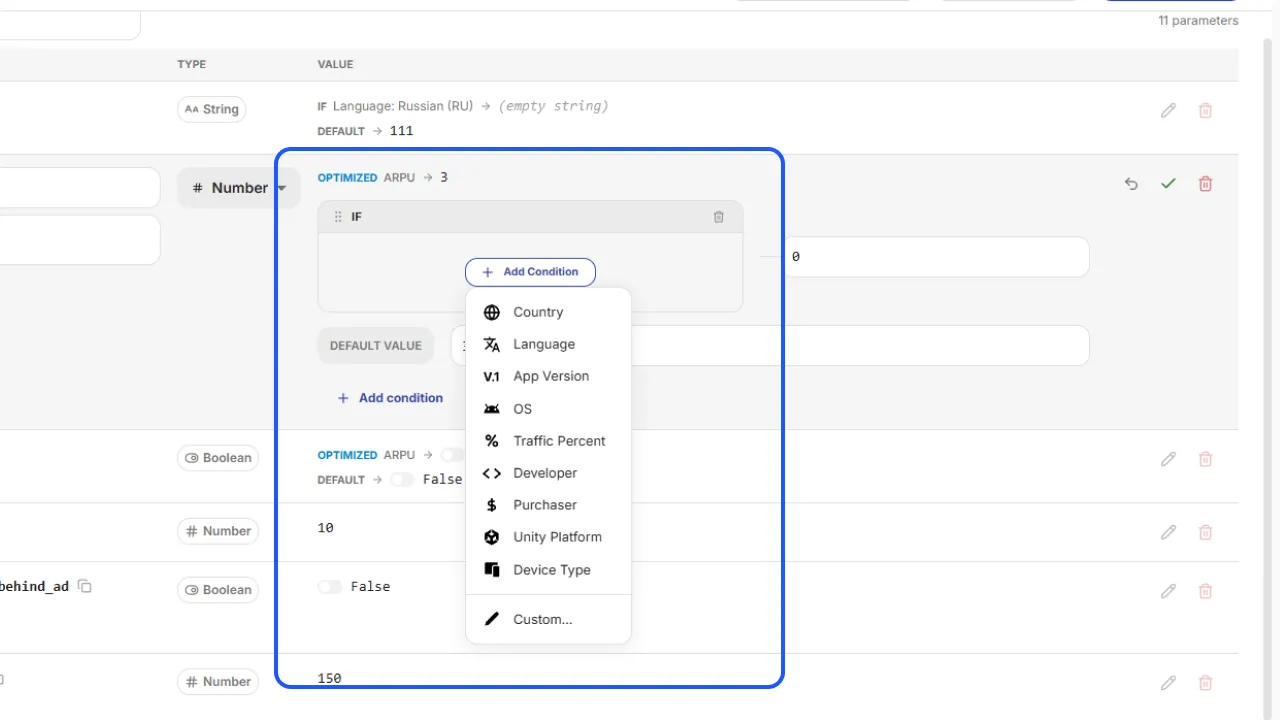
Where conditions are available
Parameter creation
In the parameter row, a Conditions button opens the conditions panel. Set conditions here to limit that parameter to a specific segment. Players outside the segment receive the parameter's default value.
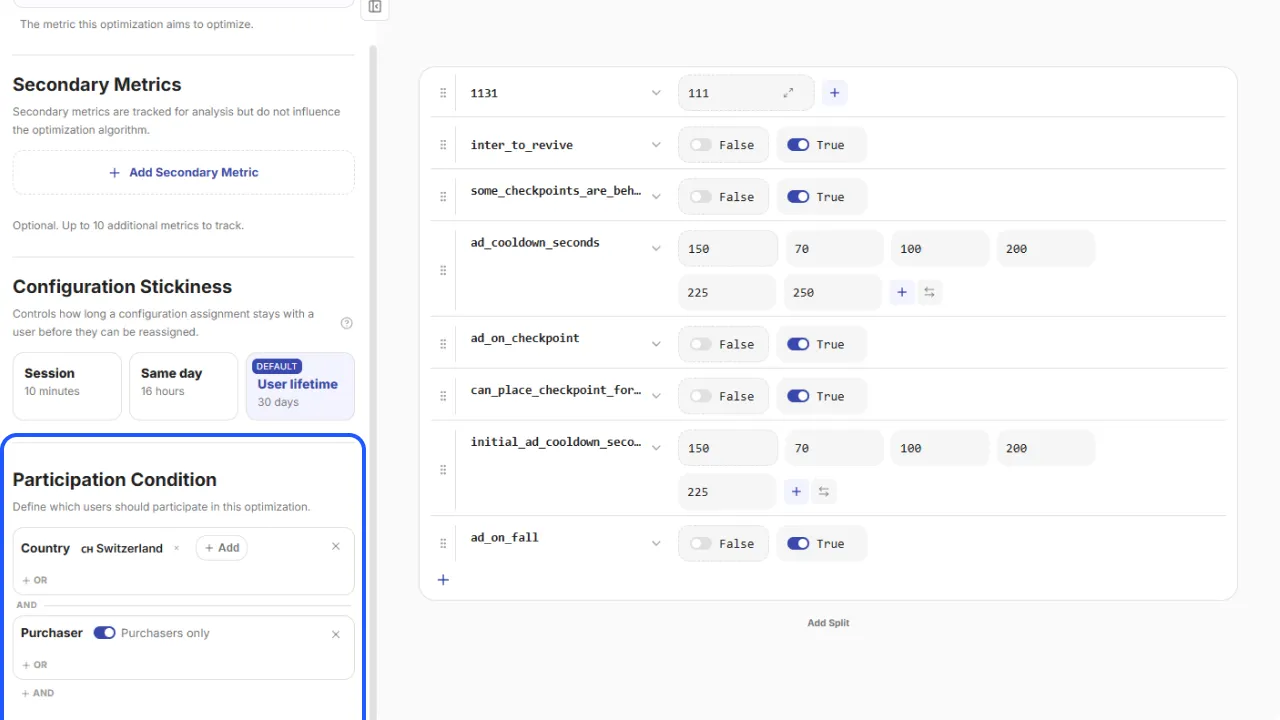
Optimization creation
In the optimization editor's left panel, a conditions block at the bottom applies to the entire optimization. Every parameter inside inherits these conditions automatically.
 LinkedIn
 Telegram
 Email
Email