
A New Era of Optimization
We’ve just released a major update focused on the core of the Hyperstone experience: how you define, manage, and iterate on your game parameters. Based on extensive user feedback, we’ve moved away from the traditional “card” system to a more powerful, flexible environment.
The New Optimization Editor: From Cards to Canvas
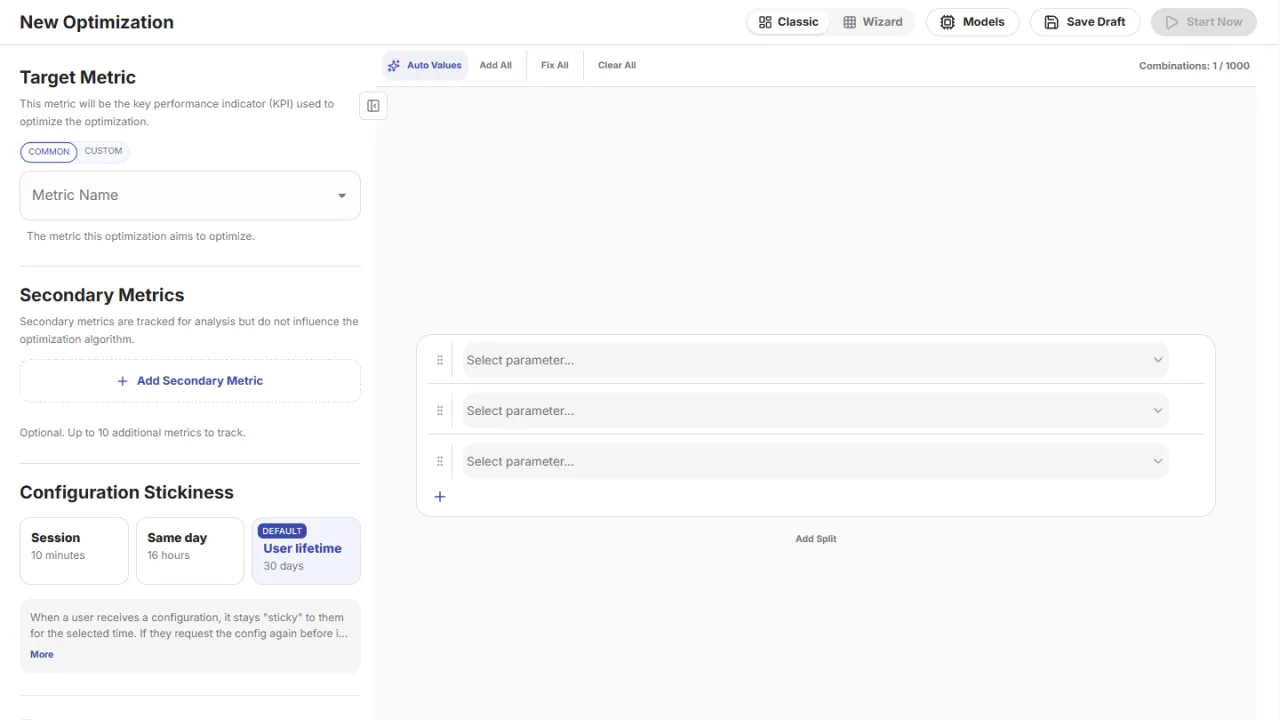
For many users, managing a large number of optimization cards became an operational bottleneck. As your game grows, so does the complexity of your parameters. We’ve replaced the card-based UI with a dynamic canvas.
The new editor allows you to organize optimizations into large, logical groups, making it easier to visualize and manage complex dependencies. Parameter selection is now handled via a streamlined search interface, significantly reducing the time spent navigating menus.
Advanced Logic: Combinations, Forks, and Hybrids
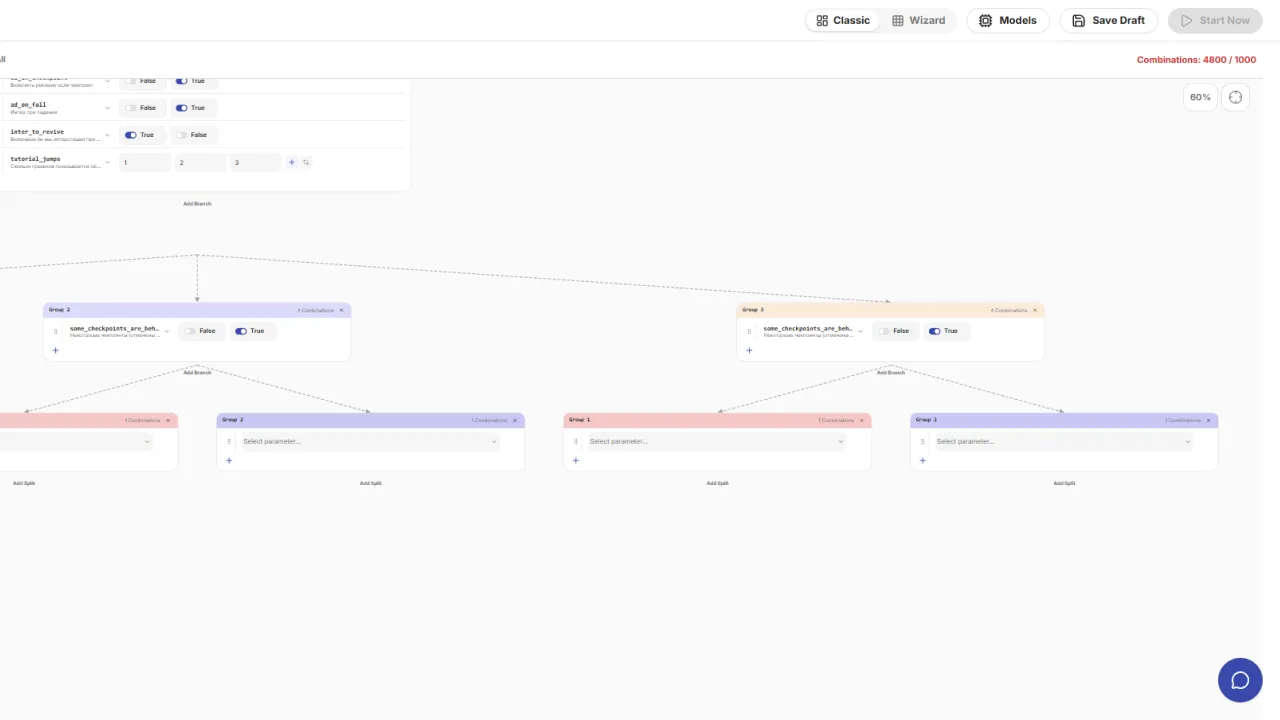
The new system introduces a powerful way to structure your experiments:
- Parameter Combinations: As before, you can multiply different parameters to explore every possible combination.
- Forks (A/B Testing): You can now create explicit “forks” to run classic A/B tests, allowing you to define pre-set variants where specific flags are toggled on or off.
- Hybrid Workflows: This is the real game-changer. You can now combine A/B tests and parameter combinations simultaneously. For example, in “Variant A” (Ads Enabled), you can further vary the ad cooldown period using a combination set.
Efficiency Tools: Auto Value & Range Generation
To eliminate manual data entry, we’ve added two powerful automation features:
Auto Value
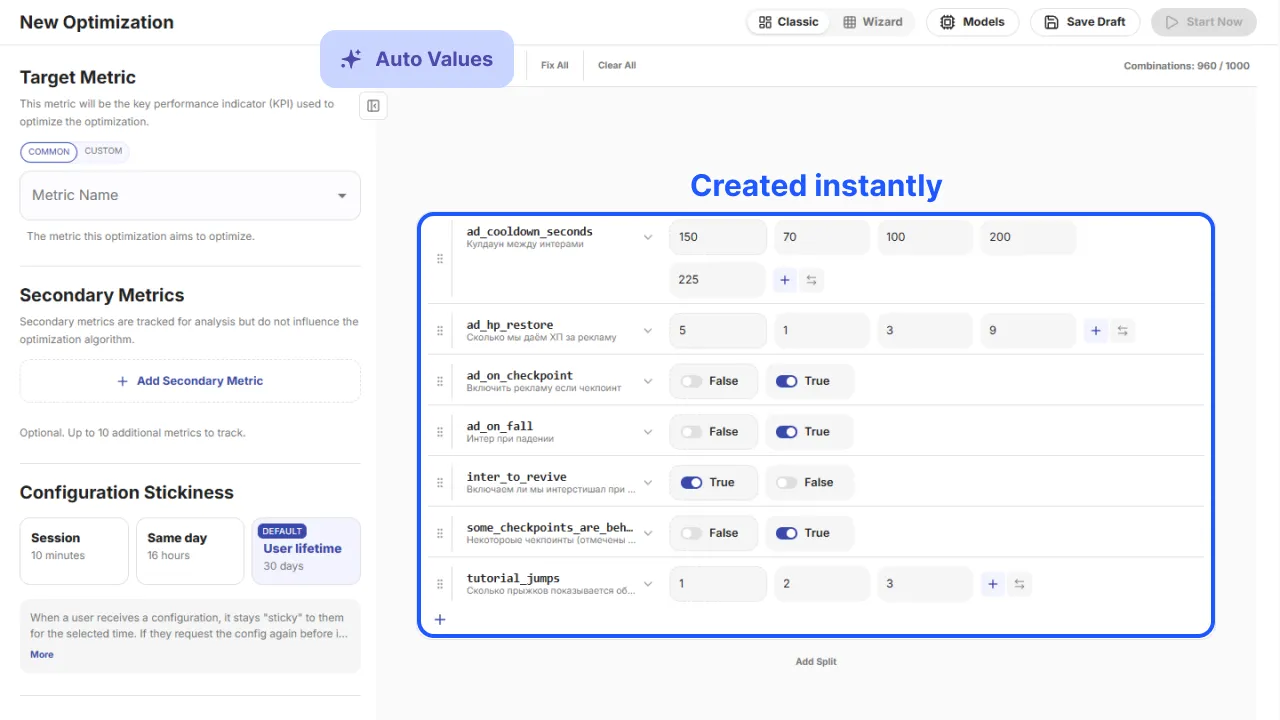
Located in the top-left corner of the editor, the Auto Value button allows the system to automatically generate parameters and suggested variants for you. You simply review the results and organize them into groups.
Quick action in top bar.
- Auto value: - (already described in the paragraph above)
- Add all: - Instantly adds all existing parameters and their values to the root node—ideal for smaller games.
- Fix all: - Automatically cleans up the canvas by removing redundant combinations, empty groups, and logical errors, while filling in missing data and validating combinations.
- Clear all: - Wipes the canvas clean, leaving only three default empty parameters to start fresh
Generate Range
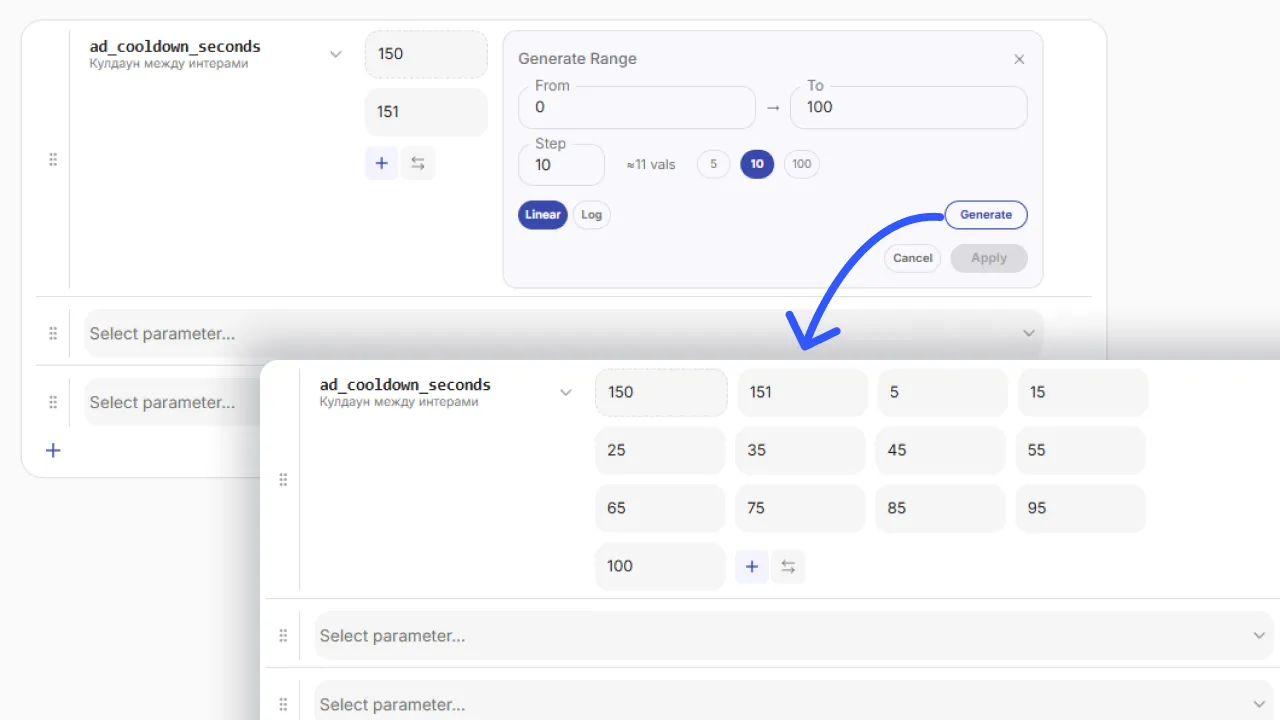
Creating long lists of values (e.g., 5, 10, 15… up to 50) manually is tedious. The Generate Range tool allows you to create these batches instantly using predefined rules:
- Linear steps
- Logarithmic scaling
- Custom increments
Just set your rules, preview the range, and add it to your optimization in one click.
Splits and Branches
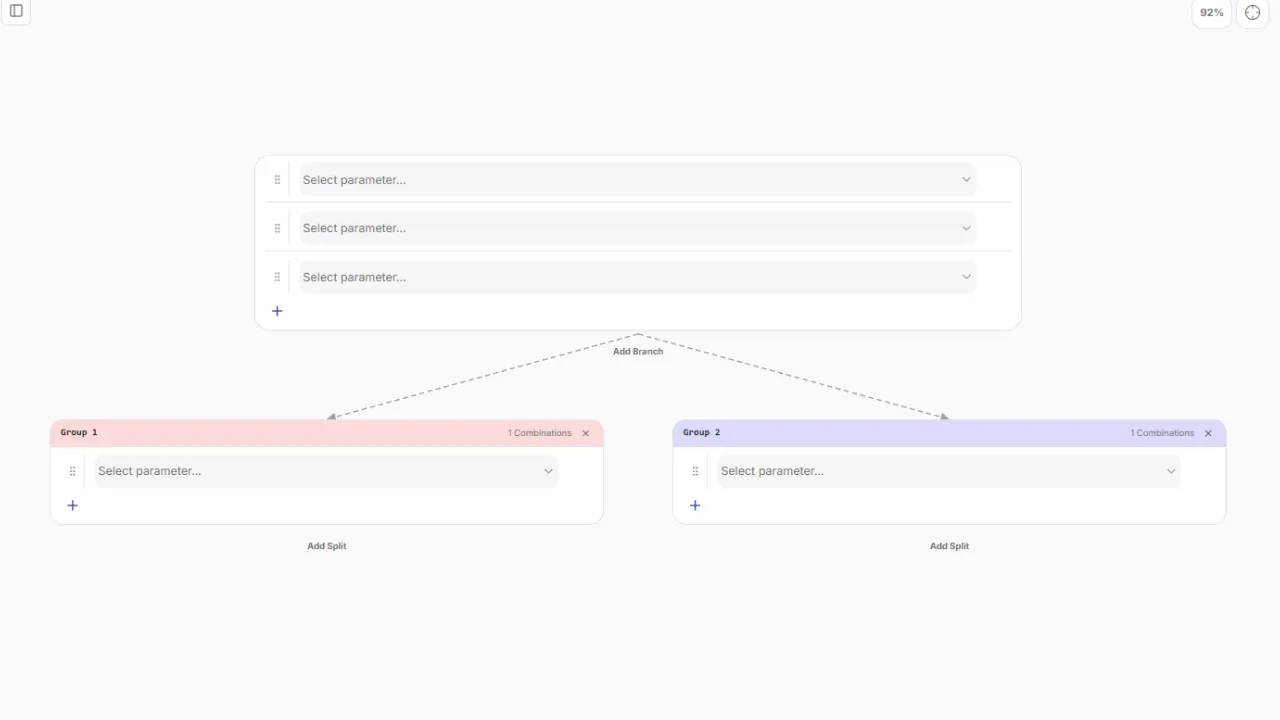
We’ve introduced a more granular way to handle traffic and testing:
- Splits: The primary representation of an A/B test. It allows you to create two groups simultaneously—perfect for tests where one group keeps the baseline and the other tests a specific deviation.
- Branches: Use branches to create dedicated optimization paths. For example, if you’re testing a completely new control scheme, you can create a branch that includes specific tutorial parameters, analytics flags, and disabled ad triggers, all while keeping the legacy control scheme active for comparison.
Developer Experience & Console UI
String Editor
For parameters using the string value type, we’ve added a built-in code editor. Instead of editing long strings in a text field, you can now open a dedicated window to write and format your code cleanly.
Console Overhaul
The entire console interface has been updated for better performance and navigation. We’ve redesigned the side panels and page layouts to make your workflow smoother and faster.
Other Improvements
- Platform Stability: Under-the-hood optimizations to ensure the platform remains rock-solid as you scale.
- Localized Documentation: Our full documentation is now available in Russian to better support our community.
 LinkedIn
 Telegram
 Email
Email